Navigasyon
Uygulamayı yükle
How to install the app on iOS
Follow along with the video below to see how to install our site as a web app on your home screen.
Not: This feature may not be available in some browsers.
Daha fazla seçenek
Style variation





Çok eski bir web tarayıcısı kullanıyorsunuz. Bu veya diğer siteleri görüntülemekte sorunlar yaşayabilirsiniz..
Tarayıcınızı güncellemeli veya alternatif bir tarayıcı kullanmalısınız.
Tarayıcınızı güncellemeli veya alternatif bir tarayıcı kullanmalısınız.
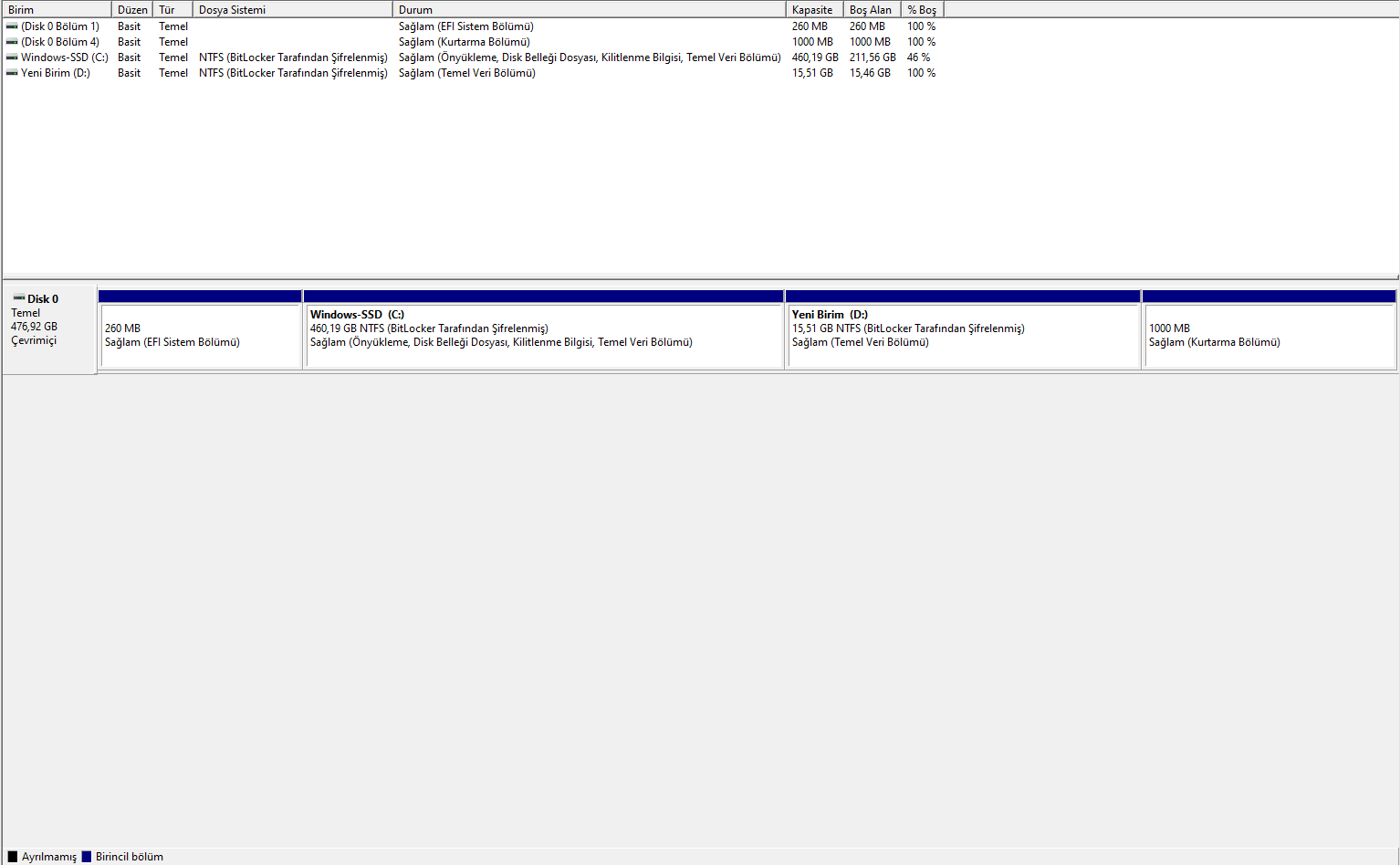
Disk Bölümleme hk.
- Konuyu başlatan Purp
- Başlangıç tarihi




Çözüm
eğer shrink yapıldığında görünüyorsa, o zaman:
- disable bitlocker
1. powercfg /hibernate off
2. Disable System Restore:
win+R: systempropertiesprotection.exe
Configure --> Disable system protection --> Delete --> ok
3. Disable the Paging file
win+R: systempropertiesadvanced.exe
Performance -> Settings --> Advanced --> Change.. --> No paging file --> Set -->ok
Windows'u Yeniden Başlatın, ve bundan sonra, daha fazla alan gösterecektir.
- disable bitlocker
1. powercfg /hibernate off
2. Disable System Restore:
win+R: systempropertiesprotection.exe
Configure --> Disable system protection --> Delete --> ok
3. Disable the Paging file
win+R: systempropertiesadvanced.exe
Performance -> Settings --> Advanced --> Change.. --> No paging file --> Set -->ok
Windows'u Yeniden Başlatın, ve bundan sonra, daha fazla alan gösterecektir.





eğer shrink yapıldığında görünüyorsa, o zaman:
- disable bitlocker
1. powercfg /hibernate off
2. Disable System Restore:
win+R: systempropertiesprotection.exe
Configure --> Disable system protection --> Delete --> ok
3. Disable the Paging file
win+R: systempropertiesadvanced.exe
Performance -> Settings --> Advanced --> Change.. --> No paging file --> Set -->ok
Windows'u Yeniden Başlatın, ve bundan sonra, daha fazla alan gösterecektir.
- disable bitlocker
1. powercfg /hibernate off
2. Disable System Restore:
win+R: systempropertiesprotection.exe
Configure --> Disable system protection --> Delete --> ok
3. Disable the Paging file
win+R: systempropertiesadvanced.exe
Performance -> Settings --> Advanced --> Change.. --> No paging file --> Set -->ok
Windows'u Yeniden Başlatın, ve bundan sonra, daha fazla alan gösterecektir.



476 gb diskin var hatalı değilse oradaki 450 sini kullanıyorsun c de kalan boşluğun 15 gb c den biraz daha eksiltmezsen 15 gbdan fazla oluşturamazsın

