









Hi TurkHackTeam members,
Today I'm introducing Who Am I , an open source tool focused on increasing anonymity in Linux systems. With this tool, you can both protect your privacy and prepare your system for various security tests.
Features:
Anti MITM : Detects and automatically blocks MITM (Man-in-the-Middle) attacks.
Log Killer : Cleans system log files securely, leaving no traces.
IP Changer : Routes all your network traffic through the Tor transparent proxy.
DNS Changer : Allows you to avoid ISP tracking by switching to secure DNS.
MAC Changer : Randomizes your MAC address and anonymizes your device.
Anti Cold Boot : Clears sensitive data in RAM without leaving any traces.
Timezone Changer : Sets the system time to UTC, preventing location leakage with timestamps.
Hostname Changer : Hides the device identity by randomly changing the hostname.
Browser Anonymization : Configures your browser for maximum privacy.
Setup:
Clone the GitHub repository :
Switch to the directory :
Perform the installation :
Run the tool :
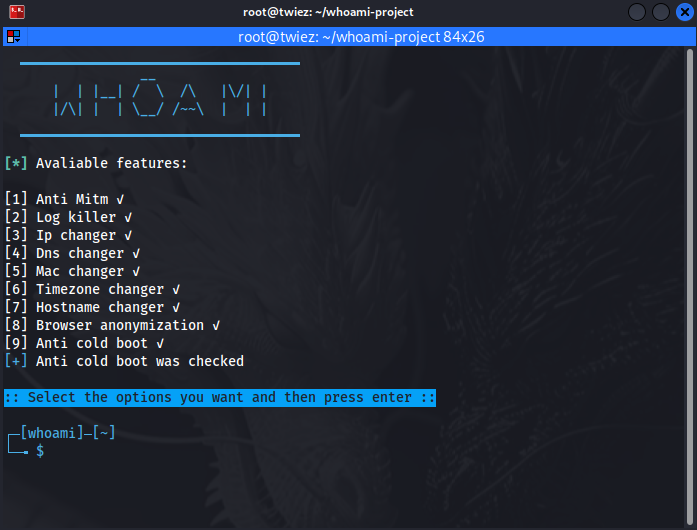
A menu will appear. In this menu, type the number ( for example, 1 ) to select the feature you want to enable and press Enter.
After making your selection , confirm the process by pressing Enter again without entering any additional information and allow the program to start.
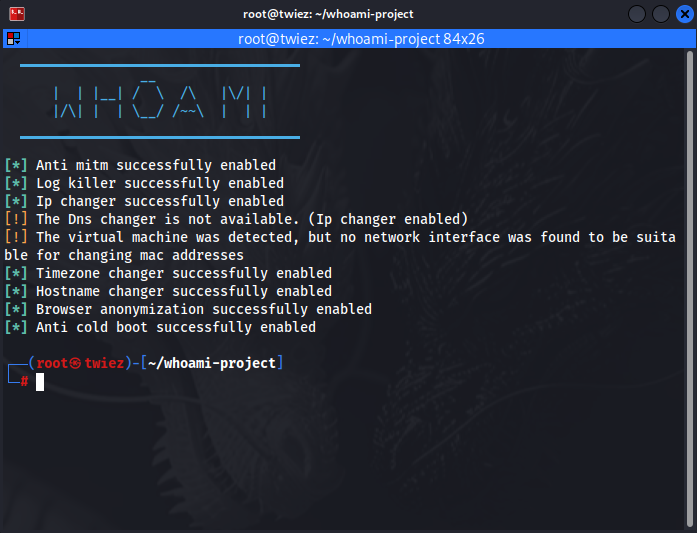
Please be aware that IP changer and DNS changer are not working at the same time due to conflicts.
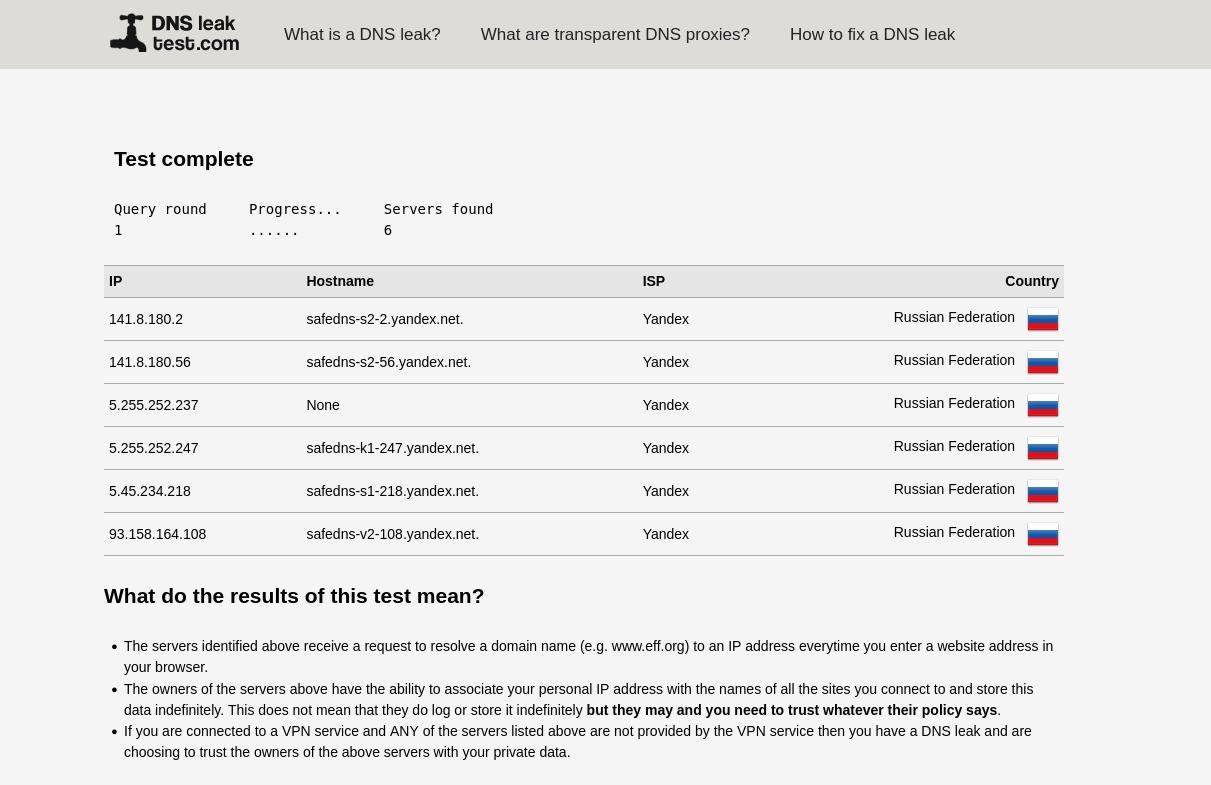
this is the test result..
VPNs, DNS changers, or tools like kali-whoami can hide your IP address or encrypt your DNS queries. While these tools can increase your privacy, they don’t provide complete anonymity . True anonymity online requires multiple layers of protection.
Log Killer : Cleans system log files securely, leaving no traces.
IP Changer : Routes all your network traffic through the Tor transparent proxy.
DNS Changer : Allows you to avoid ISP tracking by switching to secure DNS.
MAC Changer : Randomizes your MAC address and anonymizes your device.
Anti Cold Boot : Clears sensitive data in RAM without leaving any traces.
Timezone Changer : Sets the system time to UTC, preventing location leakage with timestamps.
Hostname Changer : Hides the device identity by randomly changing the hostname.
Browser Anonymization : Configures your browser for maximum privacy.
Setup:
Clone the GitHub repository :
git clone https://github.com/owerdogan/whoami-project.gitSwitch to the directory :
cd whoami-projectPerform the installation :
sudo make installRun the tool :
sudo kali-whoami --start
A menu will appear. In this menu, type the number ( for example, 1 ) to select the feature you want to enable and press Enter.
After making your selection , confirm the process by pressing Enter again without entering any additional information and allow the program to start.
Please be aware that IP changer and DNS changer are not working at the same time due to conflicts.
this is the test result..
VPNs, DNS changers, or tools like kali-whoami can hide your IP address or encrypt your DNS queries. While these tools can increase your privacy, they don’t provide complete anonymity . True anonymity online requires multiple layers of protection.

